 AquaVita
Your water, your meals — on your phone only.
AquaVita calculates a personal daily water goal from your body, sleep and activity, tracks meals with an AI photo scanner — and keeps every health record on your device. No cloud profile. No ads.
 Android — coming soon
Free to start. Works as a guest — no sign-up required.
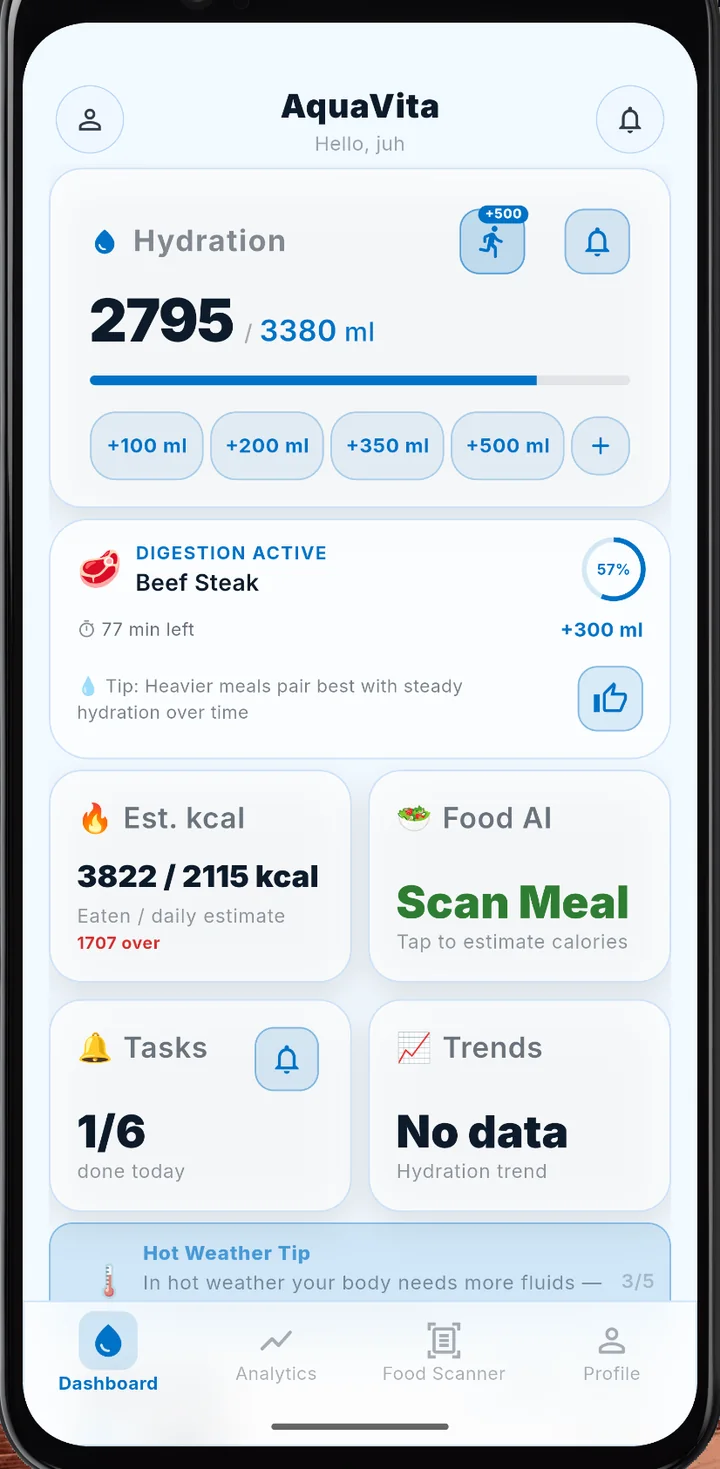
Your health data never leaves your phone.
Most wellness apps upload your body metrics to a server. AquaVita doesn't have one for your data — by design.
- All records are stored in an AES-256-encrypted database on your device.
- No ads, no ad trackers, no data sale. Ever. The only third-party services are crash diagnostics, subscriptions and the AI scanner — all named in the Privacy Policy.
- Use it as a guest — you can even subscribe to Pro without an account. Creating one is optional, and it's what carries Pro to your other devices.
- Delete everything in one place, right in the app — account included.
- The one exception: when you use the AI meal scanner, the photo is sent for analysis — and only after you allow it once. Everything else stays on your device.
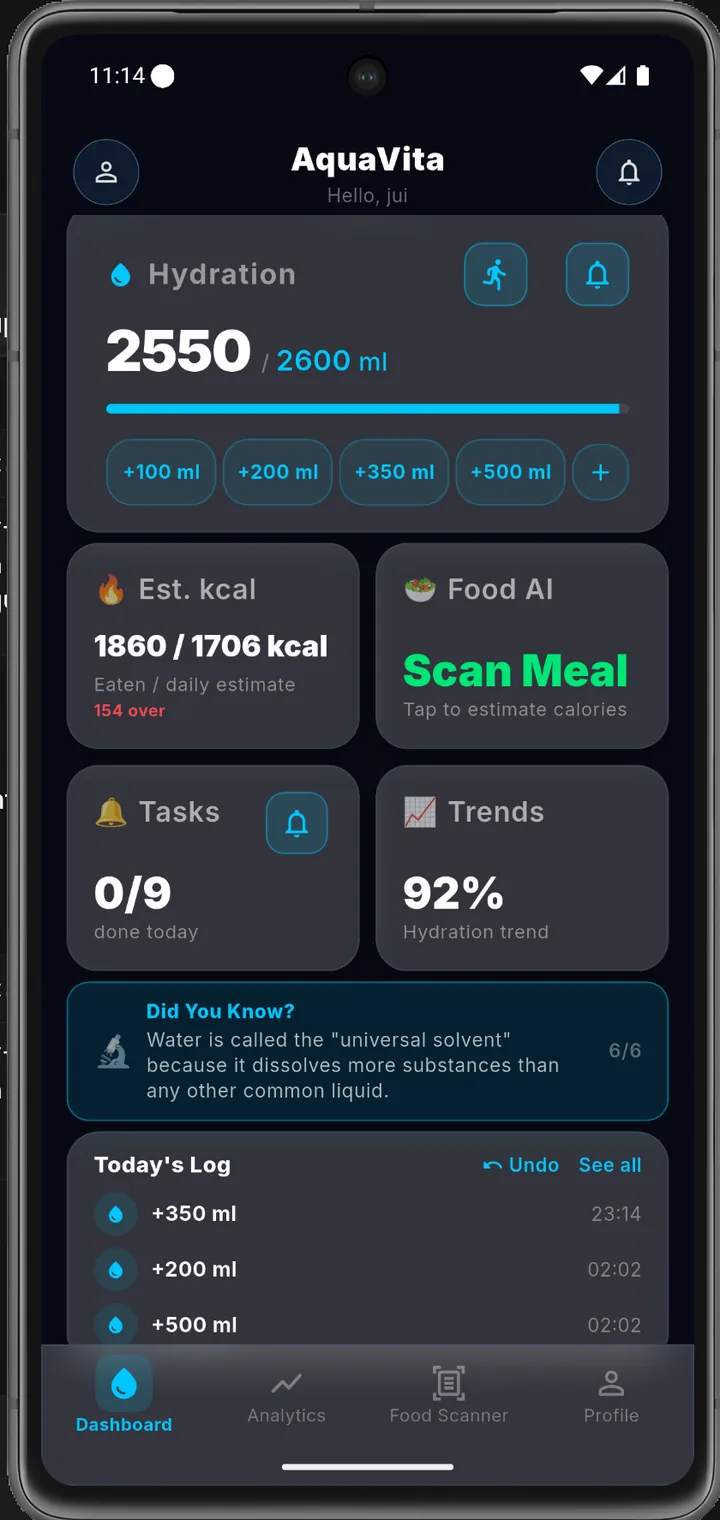
Everything a day of good habits needs.
Five tools, one quiet app. No feeds, no streak guilt — just clear numbers about your day.
A water goal computed for you
Your daily norm is derived from weight, sleep schedule and activity — not a generic “8 glasses”. Log a drink in one tap with quick buttons, and let adaptive reminders follow your real wake and bedtime.
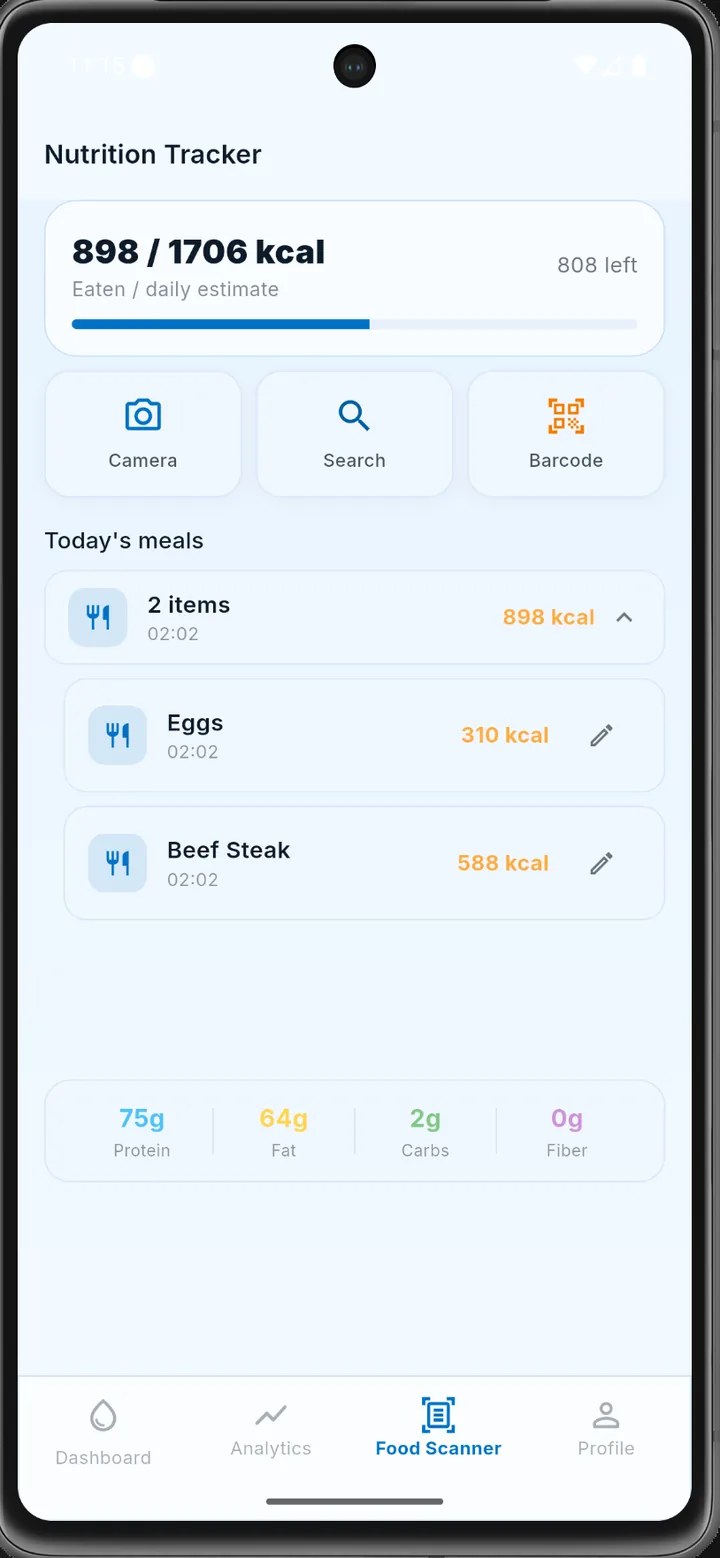
Point the camera at your plate
The AI food scanner estimates calories and macros from a photo. Prefer precision? Use barcode scanning or search. You review every estimate before it's saved — nothing is logged behind your back.
Calorie and macro values are AI estimates and may be inaccurate.
One screen that tells the truth
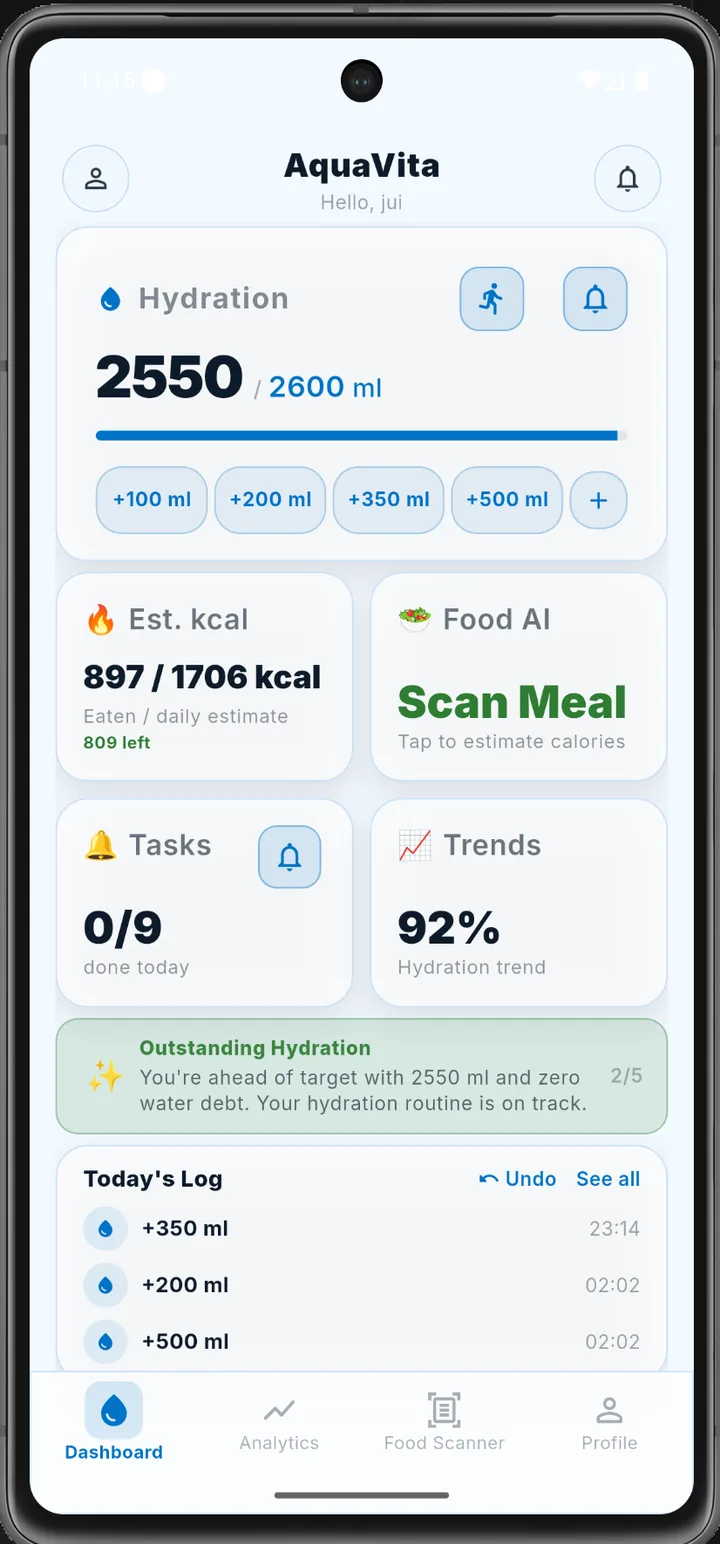
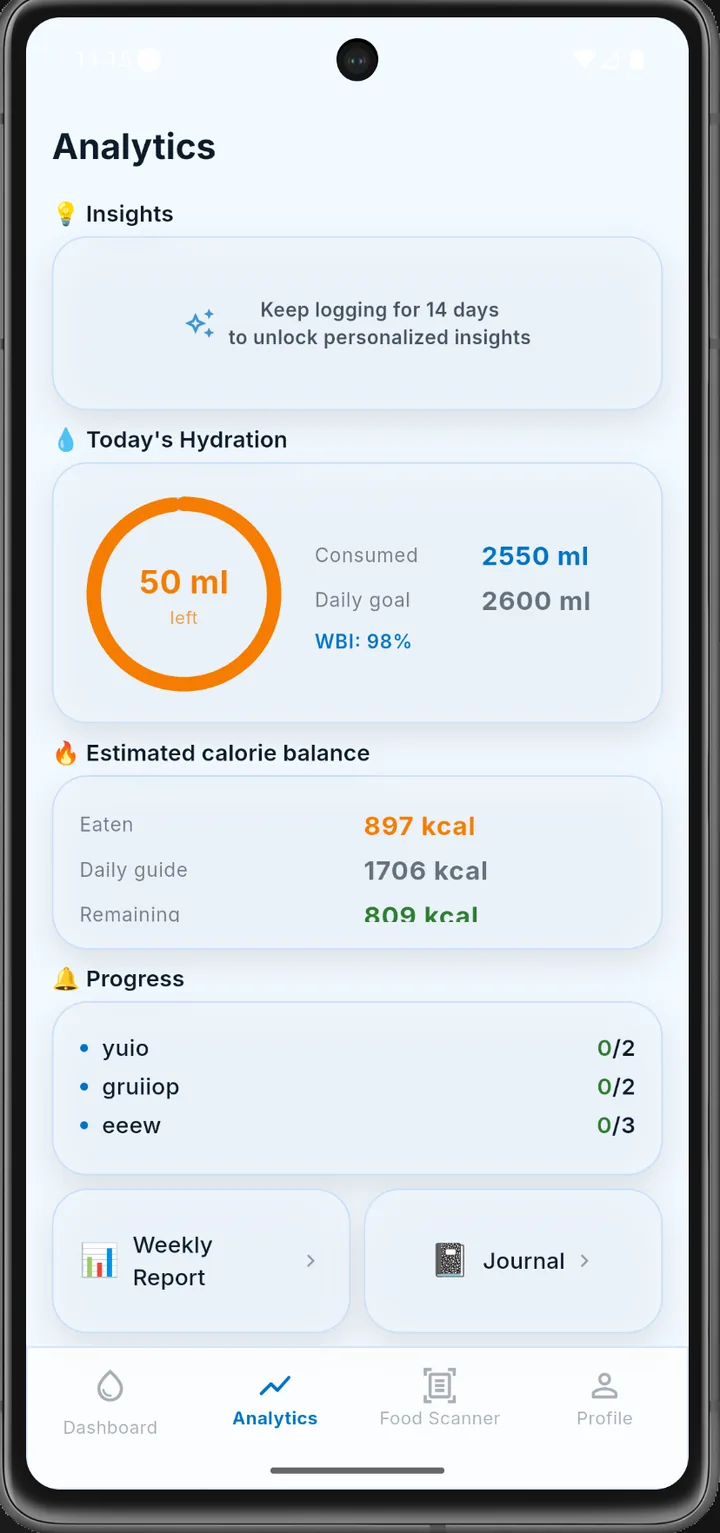
Today's hydration ring, Water Balance Index, estimated calorie balance and task progress — together, so you see the day as a whole instead of four disconnected numbers.
Your week, summarized honestly
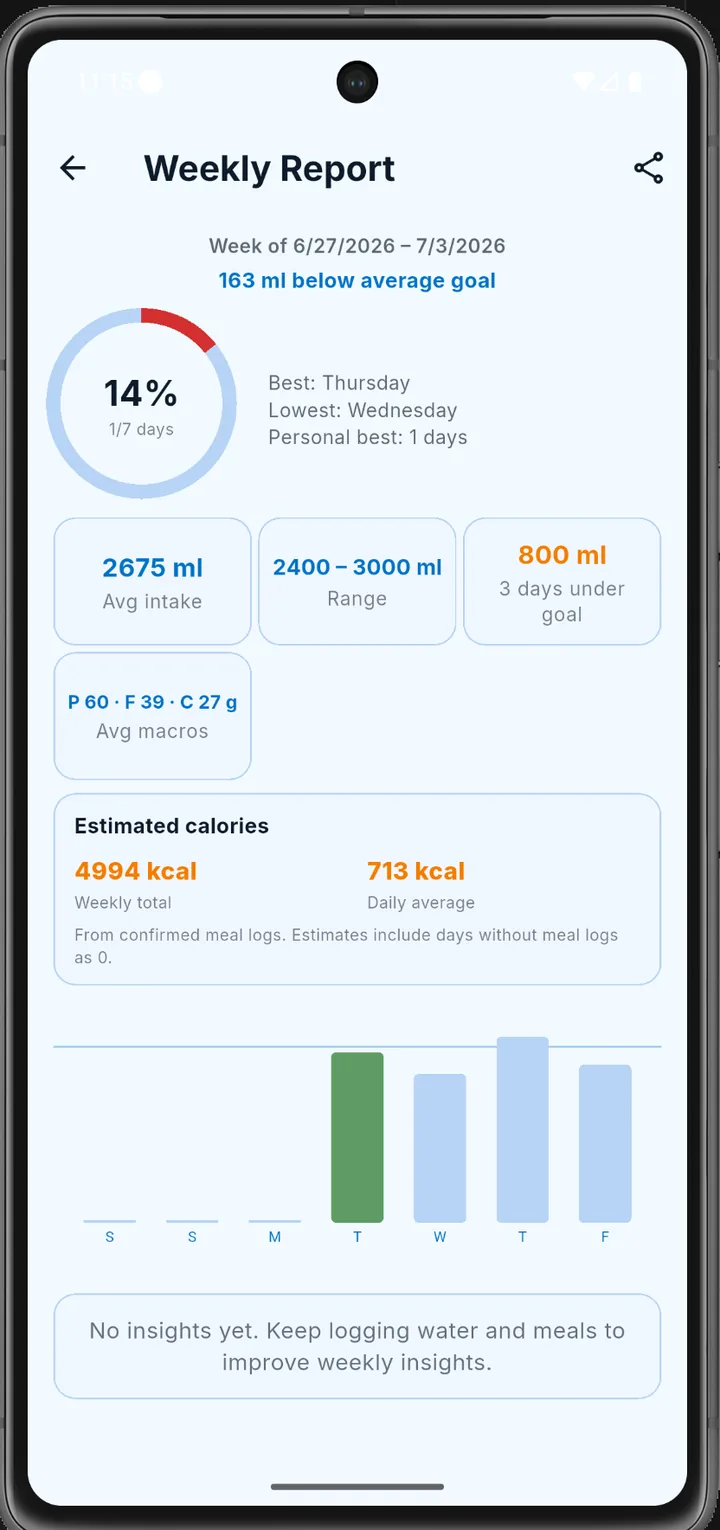
Best and lowest days, average intake, macro averages and a day-by-day chart. Share it, or just check whether the week really went the way it felt.
Every glass and meal on one timeline
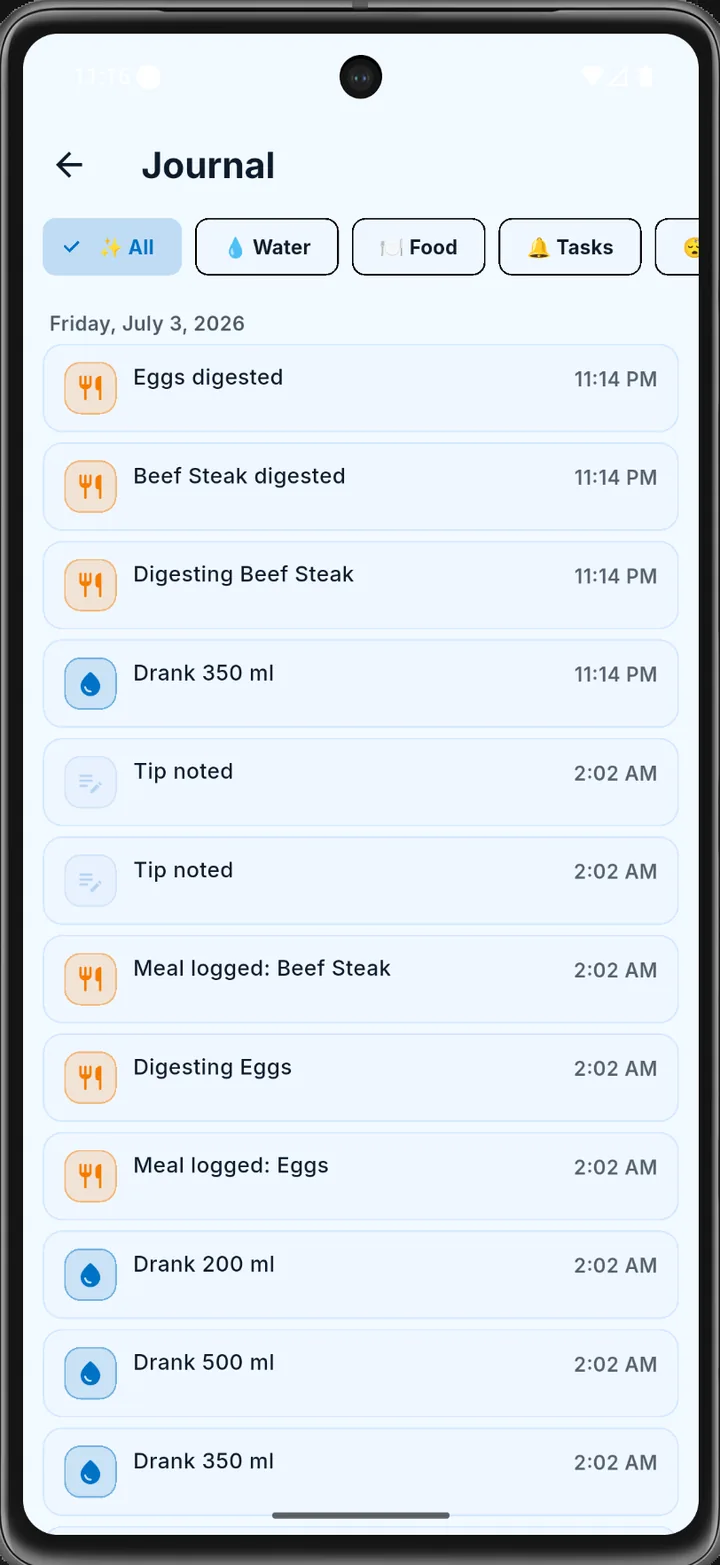
Water, meals, digestion events and completed tasks in a single filterable journal — the raw history behind every chart, always on your device.
Up and running in two minutes
Download free
iOS and Android. Start as a guest — no e-mail, no sign-up wall.
Tell it about you
Weight, height, age, sex and sleep schedule. That's all the app needs to compute your personal water goal and calorie estimate.
Live your day
One-tap water logging, a photo for meals, reminders in your rhythm — and honest numbers in the evening.
AquaVita PRO
The core tracker is free. PRO unlocks the advanced tools:
- AI meal scanning from a photo
- Advanced insights and reports
Auto-renewing subscription. Cancel anytime. Prices are shown at checkout in your local currency.
Questions, answered
Where is my data stored?
In an AES-256-encrypted database on your device. AquaVita keeps no cloud copy of your health records. Our server only keeps what a subscription needs: your random account identifier, your subscription record and a daily counter for AI scans.
Do I need an account?
No. AquaVita fully works as a guest. Creating an account (Google or Apple) is optional.
How accurate is the AI food scanner?
It produces estimates. You review and can edit every value before it's saved. Treat calories and macros as guidance, not measurement.
Is AquaVita a medical app?
No. AquaVita is a wellness tracker. It is not a medical device and does not diagnose, treat, or prevent any condition. For medical questions, talk to a healthcare professional.
How do I delete my data?
Right in the app — deletion removes your on-device records and, if you created one, your account. See the account & data deletion page for details.
Which languages are supported?
English and Spanish, in the app and in notifications.
Start today. Your data stays yours.
Free download · guest mode · no ads
Android — coming soon